Introduction
An incorrect tax invoice can create compliance and VAT-recovery problems. The applicable consequence depends on the specific requirement, transaction and current penalty rules; do not assume every invoice error carries the same fixed penalty.
The frustrating part is that most UAE businesses making invoicing mistakes are not trying to evade tax. They are using a template they downloaded somewhere, an accounting tool that was not built for UAE compliance, or just following what a colleague set up years ago — without ever checking it against the FTA's actual requirements.
This article fixes that. It covers every piece of information the Federal Tax Authority requires on a UAE tax invoice, why each field matters, what common mistakes look like in practice, and gives you a checklist you can use before sending any invoice.
Conventional Tax Invoices and Structured eInvoices
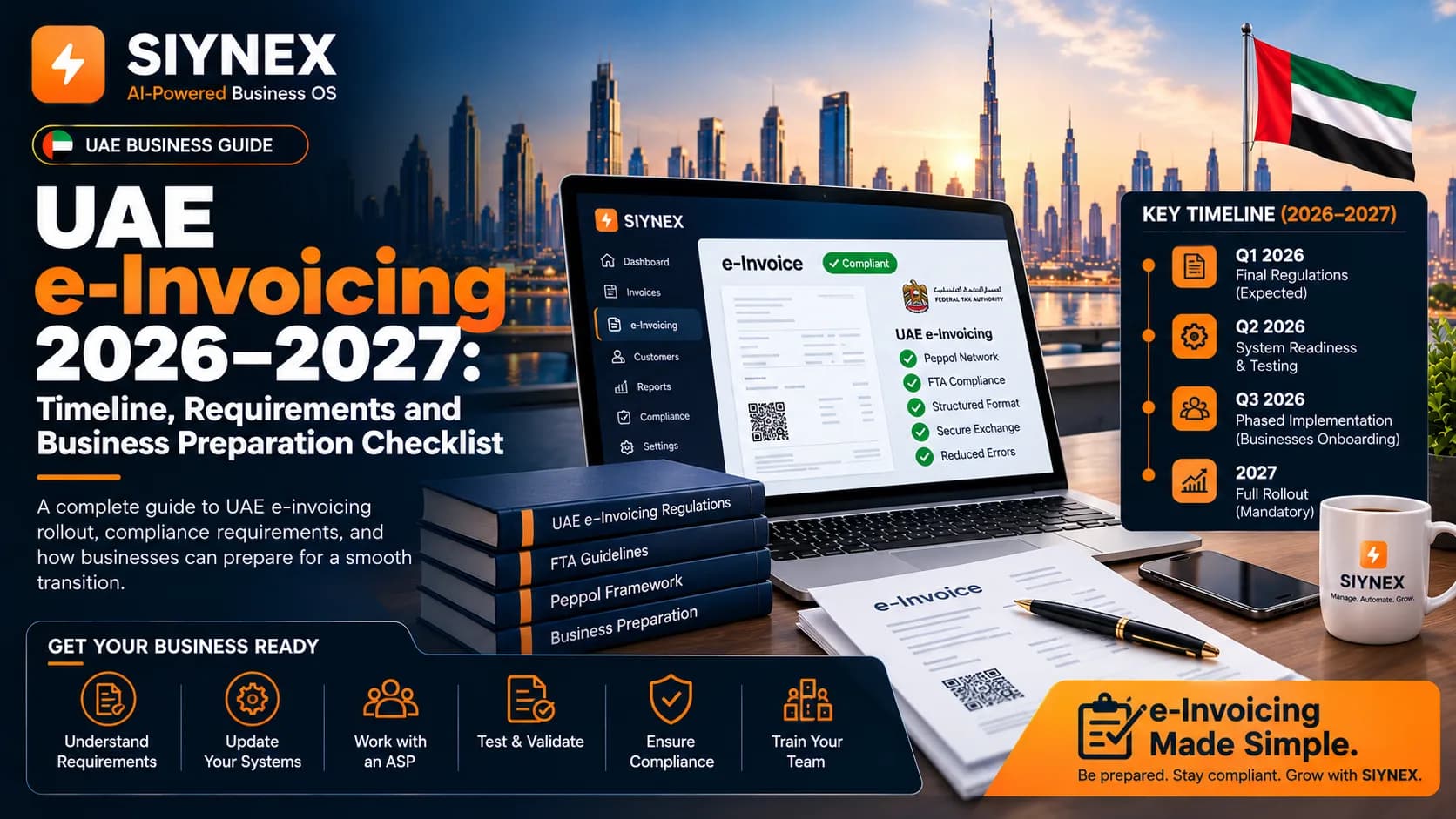
Looking for the UAE structured eInvoice or XML format? This checklist covers the information shown on a conventional UAE tax invoice. Structured eInvoicing uses a separate electronic exchange and reporting framework. Read the UAE eInvoicing guide for the difference between invoice content, PDF documents and structured eInvoices.
First: Two Types of UAE Tax Invoice
The FTA distinguishes full and simplified tax invoices. A simplified tax invoice may be used where the recipient is not VAT-registered, or where a VAT-registered recipient's VAT-inclusive consideration is AED 10,000 or less. Check the applicable conditions and required details in the FTA tax invoice guide; do not decide solely from a B2B/B2C label.
Every Mandatory Field on a Full UAE Tax Invoice
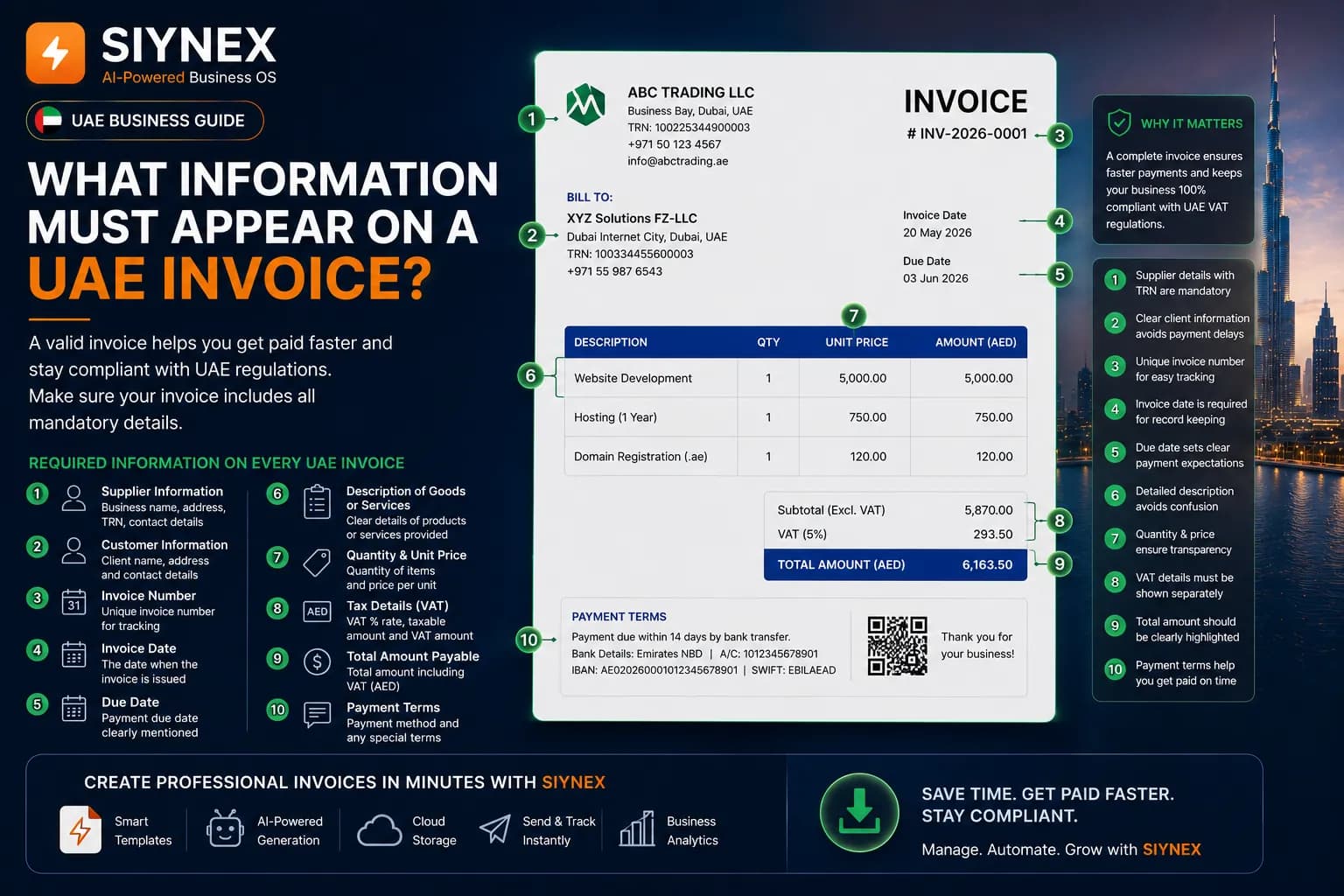
The checklist below groups full tax invoice particulars for practical review. Some particulars apply only in specified circumstances; verify the current FTA requirements for your transaction.
1. The Exact Words "Tax Invoice"
The document must be explicitly and visibly labelled "Tax Invoice".
Not "Invoice." Not "VAT Invoice." Not "Bill." Not "Receipt." The exact phrase is "Tax Invoice" and it must appear on the document — typically as the document title or a prominent header.
This sounds like a technicality. It is not. The FTA uses this label to distinguish a legal tax document from a commercial document. If your document says "Invoice," it is not a tax invoice in the eyes of the FTA, regardless of what other information it contains.
Common mistake: Generic invoicing tools default to "Invoice" as the document title. Changing it to "Tax Invoice" is usually a settings or template adjustment — but many UAE businesses never make it.
2. Your Business Name
Your registered business name, exactly as it appears on your FTA registration and your trade licence. This is not your brand name, your trading name, or your website name unless those match your registered name.
If your registered entity is "Al Noor Trading LLC" but your invoices say "Al Noor" or "Al Noor Group," that discrepancy is a red flag in an audit.
3. Your Business Address
Your registered UAE address — the address recorded with the FTA and on your trade licence. If you have multiple locations, use the address of the entity issuing the invoice, not whichever branch is convenient.
4. Your Tax Registration Number (TRN)
Your 15-digit FTA-issued Tax Registration Number must appear on every tax invoice you issue. Format: 100XXXXXXXXXXXX
This is the field the FTA uses to verify your VAT registration status and match your invoice data against your VAT return. A missing TRN means the invoice cannot be verified as coming from a registered business. A wrong TRN is as bad as none.
Your TRN is on your FTA registration certificate. If you cannot locate it, log in to the EmaraTax portal at tax.gov.ae.
Critical point: Some businesses include a Commercial Registration (CR) number or trade licence number instead of their TRN. These are completely different identifiers. Only the TRN is valid for VAT invoicing purposes.
5. A Unique, Sequential Invoice Number
Every tax invoice must carry a unique reference number, and your numbering must be sequential — meaning no gaps, no jumps, no duplicates, no reuse.
If your last invoice was INV-2026-084, your next invoice must be INV-2026-085. You cannot skip to INV-2026-090 because you voided some invoices. Voided invoices must be cancelled through a credit note, not by removing numbers from your sequence.
Numbering formats are flexible (you can use letters, dates, or prefixes) as long as each invoice has a unique number and the sequence is unbroken.
Why this matters in an audit: The FTA auditor will check your invoice register for gaps. A gap in your sequence suggests either missing invoices or income that was not declared. Neither looks good.
6. Date of Issue
The calendar date on which the invoice was created and issued. Format is typically DD/MM/YYYY in the UAE.
This date starts the clock on the FTA's 14-day invoice issuance rule: a tax invoice must be issued within 14 calendar days of the date of supply. The issue date is also what determines which VAT return period the transaction falls into.
7. Date of Supply
The date on which the goods were delivered or the services were performed.
If the date of supply and the date of issue are the same — which is common — you still need to include it. If they differ, both dates must appear on the invoice, clearly labelled.
This field is frequently omitted because businesses assume the invoice date and supply date are always the same. They often are not — especially in project-based work, ongoing service contracts, or situations where goods are delivered before invoicing.
8. Your Customer's Name
The full legal name of the business or individual being invoiced. For a company, this is their registered entity name. For an individual, their full name.
As with your own name, this should match their trade licence or registration documents — not just whatever name they use casually.
9. Your Customer's Address
The registered or principal address of your customer. For UAE businesses, this should be their trade licence address. For foreign customers, their registered business address in their country.
10. Your Customer's TRN (If VAT-Registered)
If your customer is registered for VAT in the UAE, their TRN must appear on the invoice.
For a full tax invoice to a VAT-registered recipient, check the recipient-detail requirements in current FTA guidance. VAT recovery depends on the recipient's circumstances and the applicable rules, not this checklist alone.
In practice, you should collect your VAT-registered customers' TRNs when onboarding them and store them in your customer database. Asking for a TRN after an invoice has been sent creates delays, disputes, and sometimes the need to reissue.
If your customer is not VAT-registered (for example, a consumer or a business below the registration threshold), you leave this field blank or mark it as "Not Applicable."
11. Description of Goods or Services Supplied
A clear, specific description of what was supplied. The FTA does not accept vague descriptions like "Services," "Consultancy," "Products," or "Work Done."
The description should tell a third party — an auditor who has never dealt with your business — exactly what was provided. Examples of compliant descriptions:
- "Website development services — Phase 2 frontend build, April 2026"
- "Supply of 500 units 5-litre motor oil, Grade 5W-30"
- "Monthly retainer — financial accounting and VAT filing, May 2026"
- "Interior fit-out works — Office Unit 4B, Business Bay, Dubai"
The description does not need to be exhaustive, but it must be specific enough to identify the nature of the supply and confirm the applicable VAT treatment.
12. Quantity and Unit of Measure
The number of units supplied and the unit of measurement — pieces, hours, kilograms, litres, square metres, days, or whatever unit applies to your supply.
For service-based businesses, this is often expressed as hours, days, or months. For goods, it is the physical quantity. This field enables the FTA (and your customer) to verify the unit price and total.
13. Unit Price (Excluding VAT)
The price per unit before VAT is applied. This must be stated exclusive of VAT — the VAT is calculated and shown separately.
If you have offered a discount, show the original unit price and the discount separately. Do not simply reduce the unit price without disclosing that a discount was applied.
14. Total Amount Payable Before VAT
The total value of the supply — quantity multiplied by unit price — before VAT is added. This is the taxable base amount.
If multiple line items appear on the same invoice, each line item should show its own subtotal, and the invoice should show the combined subtotal before VAT at the bottom.
15. Any Discount Applied
If you have offered a discount, it must be stated separately on the invoice — not embedded in the unit price.
Example of correct disclosure:
| Unit Price | AED 1,000.00 |
|---|---|
| Net Amount | AED 900.00 |
16. VAT Rate Applied
The applicable VAT rate for each line item, shown as a percentage:
- 5% — standard rate (applies to most goods and services in the UAE)
- 0% — zero rate (exports outside the UAE, international transport, certain food items, healthcare, education, and other specified categories)
- Exempt — certain supplies are exempt from VAT entirely (bare land, local passenger transport, residential property on first supply)
If different line items on the same invoice carry different VAT rates, each line item must show its own rate clearly. You cannot show a blended rate across the whole invoice.
Common mistake: Applying 5% VAT to zero-rated supplies — for example, charging VAT on an international shipping service or an export of goods. This is an overcharge to your customer and an error in your VAT return. Know the correct rate for each type of supply you make.
17. VAT Amount Charged in AED
The actual dirhams-and-fils amount of VAT charged on each line item or on the invoice total — clearly labelled and separated from the net amount.
This cannot be implied or embedded in the total. It must be visible. For example:
| Net Amount | AED 5,000.00 |
|---|---|
| Total Due | AED 5,250.00 |
18. Total Amount Due Including VAT
The final amount the customer owes — net amount plus VAT — stated in AED.
This is the grand total that appears on the invoice as the amount payable. It must be in AED even if the transaction was negotiated in another currency.
19. Currency and AED Conversion Rate (If Applicable)
If your invoice is denominated in a foreign currency — USD, GBP, EUR, or any other — you must also state:
- The foreign currency amount
- The AED equivalent
- The exchange rate used
- The source or basis of the exchange rate (typically the UAE Central Bank rate on the date of supply)
You cannot issue a tax invoice in foreign currency only. The AED amount is mandatory because the FTA's VAT accounting is conducted in AED.
Mandatory Fields for a Simplified Tax Invoice
The FTA's simplified-invoice guide lists the tax-invoice label, supplier name/address/TRN, issue date, a sufficient description, and total consideration and VAT charged. Use the simplified format only where the applicable conditions are met. A recipient's VAT recovery depends on the wider legal requirements; do not treat this page as a ruling on a specific claim.
What Happens If a Field Is Missing?
An incomplete or inaccurate tax invoice can create compliance and VAT-recovery problems. The remedy and any administrative penalty depend on the facts and the rules in force. Review the current FTA guidance and seek qualified advice before correcting an issued document; do not assume a fixed penalty for every missing field.
Complete UAE Tax Invoice Checklist (Print or Bookmark This)
Use this before sending every invoice:
Document Label
- [ ] Labelled exactly "Tax Invoice"
Your Business Details
- [ ] Registered business name (matches FTA registration)
- [ ] Registered UAE address
- [ ] Tax Registration Number (15-digit TRN)
Invoice Reference
- [ ] Unique invoice number
- [ ] Sequential — no gaps from previous invoice
- [ ] Date of issue
- [ ] Date of supply (even if same as issue date)
Customer Details
- [ ] Customer's full legal name
- [ ] Customer's address
- [ ] Customer's TRN (if VAT-registered — mandatory for B2B)
Supply Details
- [ ] Clear, specific description of goods or services
- [ ] Quantity and unit of measure
- [ ] Unit price (excluding VAT)
- [ ] Any discount shown separately
VAT Breakdown
- [ ] VAT rate per line item (5%, 0%, or exempt stated explicitly)
- [ ] VAT amount in AED (shown separately, even if AED 0.00 for zero-rated)
- [ ] Subtotal before VAT
- [ ] Total amount due including VAT (in AED)
Currency (If Applicable)
- [ ] AED equivalent stated
- [ ] Exchange rate and source stated
- [ ] Date of rate used
Issuance
- [ ] Issued within 14 days of the date of supply
Review Invoice Details in SIYNEX
SIYNEX helps you create and track invoices with client details and VAT information. Some transactions require a tax-treatment decision before the invoice can be used. Review the details against the applicable FTA rules; the product does not guarantee that every invoice is compliant.
See the SIYNEX invoicing workflow for the product steps.
Frequently Asked Questions
Q: Does every invoice I issue need all these fields, even for small transactions?
For a full tax invoice, yes — all fields are mandatory regardless of transaction value. The FTA permits a simplified tax invoice when the recipient is not VAT-registered, or when a VAT-registered recipient's VAT-inclusive consideration is AED 10,000 or less. Check the current conditions before choosing the format.
Q: My customer forgot to give me their TRN. Can I send the invoice without it?
For a B2B transaction where the customer is VAT-registered, no — a full tax invoice without the customer's TRN is non-compliant. Chase the TRN before issuing. If you have already issued and your customer later provides their TRN, issue a credit note and a corrected invoice.
Q: Can I include extra information on the invoice beyond what the FTA requires?
Yes. The FTA sets the minimum. You can add payment terms, bank details, purchase order references, project codes, or anything else relevant to your business relationship. Adding information is fine; removing mandatory fields is not.
Q: What if my business name in English and Arabic is different on different documents?
Use the name exactly as registered with the FTA and on your trade licence. If your trade licence shows an English and Arabic version of your name, using either consistently is generally acceptable — but mixing versions across documents can cause confusion in an audit. Consistency across all your business documents is the safest approach.
Q: I am a freelancer. Do I need to issue tax invoices?
Only if you are VAT-registered. If your annual taxable supplies exceed AED 375,000, VAT registration is mandatory and you must issue full tax invoices. Below AED 375,000, you can voluntarily register (threshold: AED 187,500). If you are not registered, you cannot charge VAT or issue documents labelled "Tax Invoice."
Q: Can I issue the invoice in English only, or does it need Arabic?
English is accepted by the FTA. Arabic is not mandatory on invoices. However, for UAE government entity clients or in the event of a legal dispute in UAE courts, an Arabic translation may be required. Bilingual invoices are best practice for large contracts.
Summary
Use the checklist as a prompt, not a certificate of compliance. Match the invoice type and particulars to the transaction, and refer to current FTA guidance when a VAT decision is unclear. SIYNEX can help you record and review invoice details.
Last reviewed: 24 September 2026 | This article reflects FTA requirements under UAE Federal Decree-Law No. 8 of 2017 and its executive regulations. For advice specific to your business situation, consult a UAE-registered tax agent.